
Lineup Tab
Showcase the stellar lineup of mentors, judges, and speakers you have at your hackathon by publishing it on your dashboard.
Organizer view
Click on Begin adding lineup and proceed to add the following details:
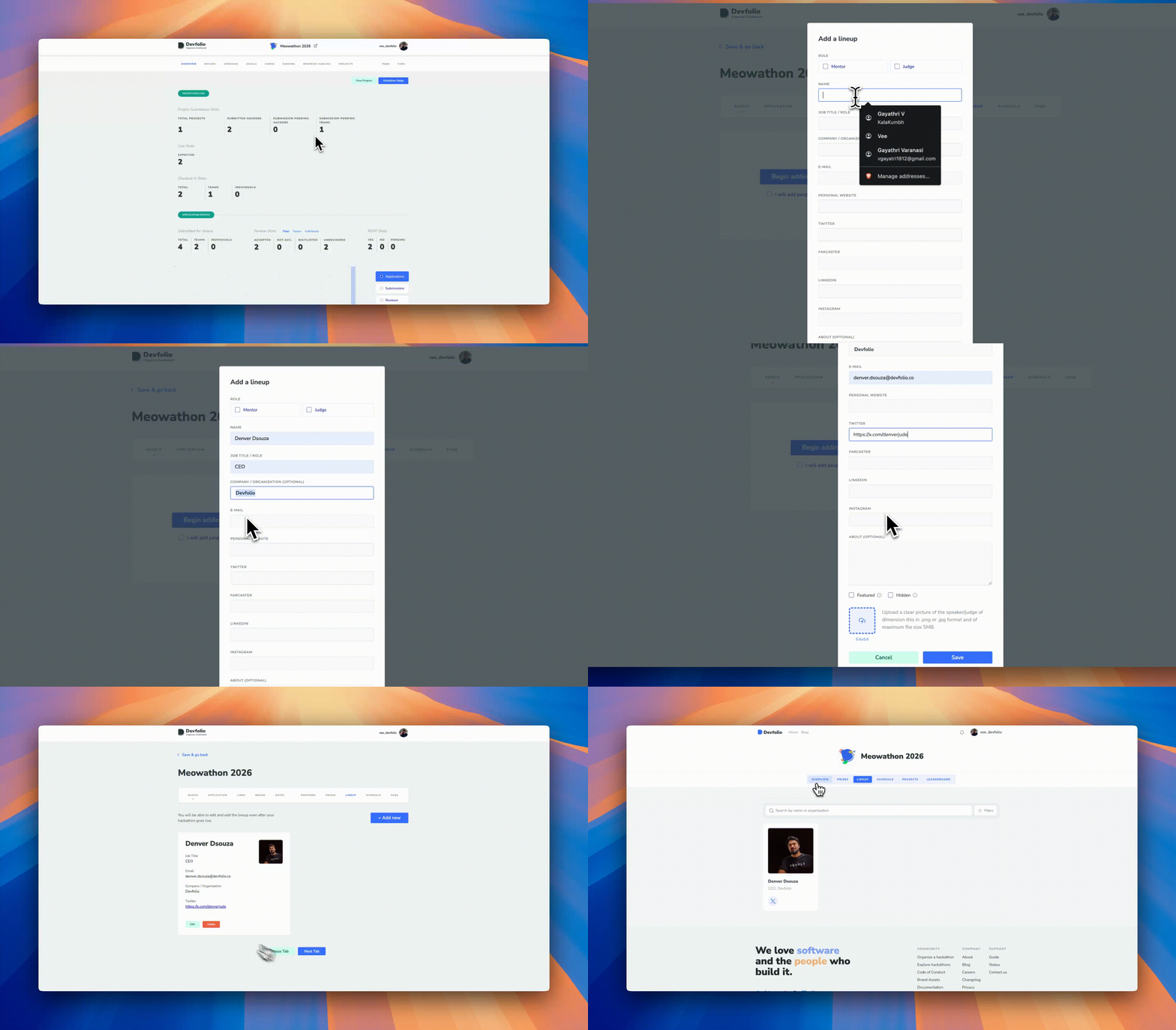
Lineup Tab
- Name
- Job Title / Role: Designation of the person
- Company / Organization
- Company URL: The website of the company the person represents
- Profile URL: Their social media handles (Twitter, Personal Website, LinkedIn)
- About (Optional): A short description to introduce them
- Image: You can upload an image in
.webpor.jpgformat (Recommended dimensions: 64×64)
Managing Visibility and Roles
Featured vs Hidden
- Featured: People marked as featured are prominently visible on the microsite lineup section
- Hidden: People marked as hidden are not displayed on the microsite
Mentor and Judge Access
You can assign individuals in this tab as Mentor or Judge to grant them access to the mentorship or judging dashboard.
Email Required
Email is required to provide dashboard access for mentors and judges.
Microsite View
.webp)
ETHIndia'22 Microsite <> Lineup Tab
How is this guide?